
Navigate Any Airport Like a Frequent Flyer
Frequent travelers move through airports efficiently because they understand the patterns. Here’s how to navigate any airport confidently, even on your first visit.
Before You Arrive
Research Your Terminal
- Check your airline’s website for terminal maps
- Download the airport’s app if available
- Google Maps shows indoor layouts for major airports
- Note which terminal your airline uses
Know Your Timeline
- Arrive 2 hours early for domestic, 3 for international
- Add time for checked bags, unfamiliar airports, or peak travel days
- Check security wait times online or via apps like MyTSA
Reading Airport Signs
Color Coding
Most airports follow standard color conventions:
- Yellow/Orange: Departures, gates, airline terminals
- Green: Exits, ground transportation, baggage claim
- Blue: Services, restrooms, information
- Red: Security, restricted areas
Gate Numbers
Gate numbering follows patterns:
- Letter prefix indicates concourse (A, B, C) or terminal (1, 2, 3)
- Numbers increase as you walk away from the central terminal
- Odd numbers often on one side, even on the other
Example: Gate B24 is in Concourse B, and you’ll pass B1-23 walking there from the main terminal.
Efficient Security Screening
Before Joining the Line
- Have ID and boarding pass ready
- Move liquids bag to accessible pocket
- Wear shoes easy to remove (or get TSA PreCheck)
- Empty pockets of metal items
At the Bins
- Laptop out of bag, flat in its own bin
- Liquids bag in a bin
- Shoes, belt, jacket in a bin
- Everything else stays in your bag
After Screening
Grab your bins and move away from the belt before reorganizing. Others are waiting for space.
Finding Your Gate Efficiently
Check Screens, Not Just Your Boarding Pass
Gates change. Departure screens near security exits show current assignments. Your airline’s app also updates in real-time.
Estimate Walking Time
- Allow 2-3 minutes per gate at most airports
- Add time for stairs, escalators, or train rides
- Satellite concourses may need 15-20 minutes
Use Moving Walkways
Stand right, walk left. If walking, the moving walkway saves significant time on long concourses.
Making Connections
Same Terminal
Minimum 30-45 minutes usually sufficient. Walk directly to your next gate after deplaning.
Different Terminals
- Check if terminals connect airside (no re-screening needed)
- Follow signs for inter-terminal trains or buses
- Allow 60-90 minutes minimum
International to Domestic
You must:
- Clear immigration (passport control)
- Collect checked bags
- Clear customs
- Re-check bags for domestic flight
- Clear security again
Allow 2-3 hours minimum at major hubs.
Locating Amenities
Food
- Concentrated near security exits and central terminal areas
- Gate areas often have limited options
- Check airport website for specific restaurant locations
Restrooms
- Located every few gates along concourses
- Usually marked on ceiling signs
- Family restrooms near regular facilities
Charging Stations
- Often at gate seating areas
- Larger stations near food courts
- Look for standing counters with outlets
When Things Go Wrong
Gate Changes
Listen for announcements. Check screens. Your airline app will notify you if push notifications are enabled.
Delays
- Stay near your gate for updates
- Download airline app for rebooking options
- Consider lounge access for long delays
Missed Connections
- Go to your airline’s service desk or gate agent
- Call the airline while waiting in line (work both angles)
- Ask about the next available flight
- Request meal vouchers or hotel if overnight
Pro Tips
- Screenshot your boarding pass: Works even without WiFi
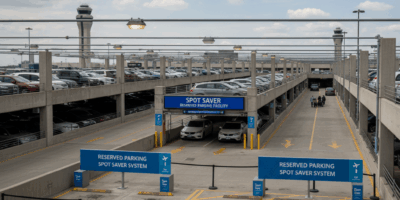
- Note your parking spot: Photo of row/section number
- Keep essentials accessible: ID, phone, charger, medications
- Wear comfortable shoes: You may walk miles in large airports
- Arrive early to explore: Rushing is stressful; buffer time isn’t wasted



Stay in the loop
Get the latest airport guides world updates delivered to your inbox.