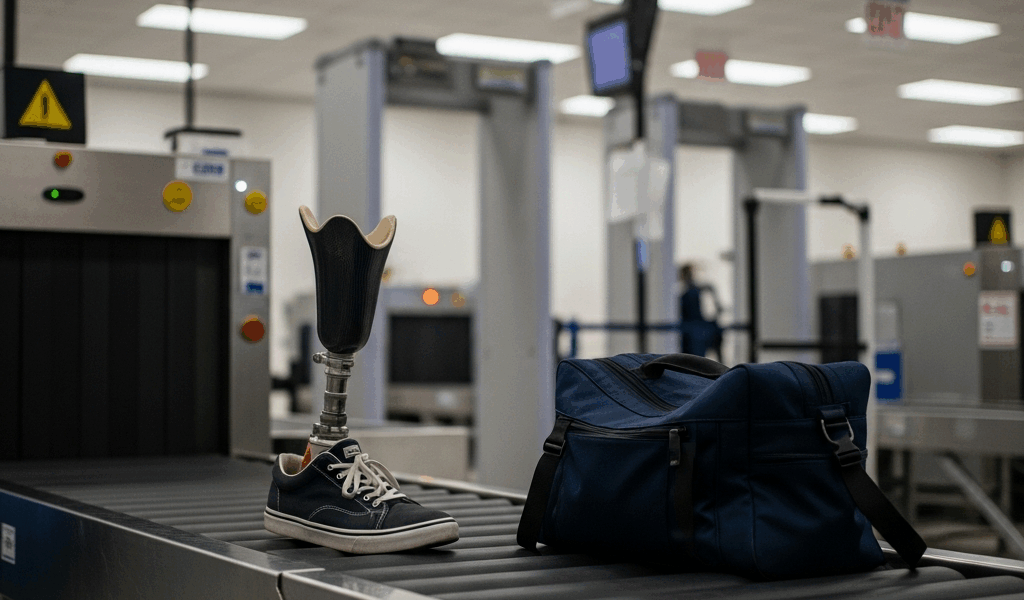
How to Get Through Airport Security With a Prosthetic Limb
I’ve watched dozens of travelers with prosthetics approach the TSA screening line with visible tension—shoulders tight, breath shallow—as if they’re about to face an interrogation rather than a standard security checkpoint. That anxiety is real, and it’s completely unnecessary. Getting through airport security with a prosthetic limb has gotten straightforward with all the misinformation flying around. Once you understand the actual rules, know what to communicate, and recognize that TSA officers see prosthetics regularly, the whole thing clicks into place.
Here’s the core fact: you don’t have to remove your prosthetic unless you want to.
This article walks you through exactly what happens, what to say, and how to move through screening confidently. No surprises, no judgment—just the practical steps that get you to your gate without the mental weight you’ve been carrying.
What TSA Officers Need to Know About Your Prosthetic
The TSA’s official guidance is clear, but what is it exactly? In essence, prosthetic limbs are permitted through security checkpoints. You are not required to remove them for screening, though you have the option to do so if you prefer. But it’s much more than that—this distinction shifts the narrative from compliance to choice, which changes how you approach the whole experience.
Here’s what actually happens at screening:
- Metal detection: Most prosthetics contain metal components—hinges, alignment mechanisms, connectors. These will trigger a standard metal detector or walk-through scanner. That’s expected. It doesn’t mean something is wrong. Happens every single day.
- Body scanner: Advanced imaging technology—the millimeter-wave scanners used at most major airports—can detect the prosthetic. TSA officers are trained to interpret these images correctly. They know what a prosthetic looks like on screen. This is routine for them.
- Pat-down: If you go through a metal detector and it alarms, or if you choose the body scanner, a pat-down may follow. The officer will feel around and over your prosthetic to ensure nothing is concealed. This is routine, not invasive, and the officer will likely ask where your prosthetic is before they begin—most do.
- Shoe and sock considerations: Depending on your prosthetic type, you may be able to keep shoes on during screening. If your prosthetic has a foot component or if you wear a prosthetic sock, removal may be uncomfortable or impractical. Tell the officer directly: “I have a prosthetic and need to keep my shoe on.” Most TSA agents accommodate this without question.
The TSA website states plainly that passengers with prosthetics should inform an officer before screening begins. That simple declaration prevents confusion and sets expectations on both sides. Straightforward communication, nothing fancy required.
Step-by-Step: Getting Through the Security Line
Probably should have opened with this section, honestly—people want the nuts-and-bolts walkthrough before anything else.
1. Arrive and assess the line. Get to security with the standard buffer time—2 hours domestic, 3 hours international. Observe which lanes have the shortest queues. You’re not trying to be first; you’re trying to avoid bottlenecks where you’d feel rushed or self-conscious. Pick your lane strategically.
2. Have your ID and boarding pass ready. This applies to everyone, but it’s worth stating anyway: keep these accessible. You won’t need to remove your prosthetic to hand over documents. Just have them out before you reach the checkpoint.
3. Place personal items in the bin. Wallet, keys, phone, watch, belt—all standard. If you wear a prosthetic sock, like a gel liner or fabric sleeve, keep your shoe on if it’s comfortable. You can remove it at the scanner if needed, but inform the officer first so there’s no surprise.
4. Flag the officer directly. When you step up to the metal detector or body scanner, make brief eye contact and say: “I’m wearing a prosthetic lower limb” (or upper limb, depending on your situation). Don’t apologize. Don’t over-explain. That sentence does the job. Period.
5. Move through the scanner normally. Walk at your regular pace. The scanner operator is watching for anything unusual—not judging your gait or mobility. If you use mobility aids like a cane or walker, bring them through the scanner with you. Inform the officer before you enter.
6. If a pat-down occurs, stay calm. The officer will ask, “Is it okay if I pat down your prosthetic?” or something similar. Answer yes. The pat-down takes about 60 seconds and involves running gloved hands over the prosthetic to ensure nothing is concealed. It’s not painful and doesn’t damage the prosthetic at all. If at any point you feel uncomfortable or unsafe, you can ask the officer to pause and call a supervisor.
7. Proceed to the exit. Collect your items, put your shoes back on if you removed them, and move forward. You’ve cleared security. Done.
Should You Remove Your Prosthetic at Security
This is entirely your call—no right answer exists here.
Some travelers prefer to keep their prosthetic on throughout screening. Others find removal easier or more comfortable. Both approaches are valid, and both happen thousands of times per week. Let me break down the honest trade-offs:
Keeping your prosthetic on: You maintain normal mobility, dignity, and comfort. You don’t have to manage balance or use alternative mobility aids. Screening moves faster because there’s no removal-and-reattachment process. However, you may trigger metal detection alarms and face a pat-down as a result.
Removing your prosthetic: You eliminate the metal-detection alarm entirely, which can speed up screening. The officer sees exactly what you have—no mystery, no questions. But the trade-off is functional: you need a place to sit safely while removing and reattaching your prosthetic. Most airports have seating areas near security checkpoints designed for this purpose. You also need enough time and privacy to do this comfortably, which isn’t always guaranteed during peak hours. And honestly, removing your prosthetic in a busy airport adds logistical friction that most travelers want to avoid—it’s just another complication you don’t need.
A middle path exists: many travelers keep their prosthetic on, expect the pat-down, and consider it part of the normal screening process. That’s what makes this approach endearing to frequent fliers—it’s simple and gets you moving.
What to Do If the Line Moves Slowly or You Feel Uncomfortable
Sometimes screening encounters friction. An officer might ask excessive questions about your prosthetic. They might seem uncertain about how to proceed. They might take longer than you expected. Here’s how to navigate it:
If questions feel intrusive: You’re allowed to ask, “Is this standard procedure for everyone, or specific to my prosthetic?” This isn’t confrontational; it’s clarifying. TSA officers should be screening everyone equally. If the line of questioning veers into personal territory unrelated to security—your medical history, why you have the prosthetic, etc.—you can politely redirect: “I’m happy to answer security-related questions.”
If you feel the process is taking too long: Ask the officer, “Can you help me understand the timeline here?” Most delays have simple explanations—they’re waiting for a secondary scanner result, or they’re verifying procedure. Clarity reduces anxiety fast.
If you feel uncomfortable or treated unfairly: Request a supervisor. Say, “I’d like to speak with a supervisor about this screening process.” This is your right, and invoking it isn’t aggressive—it’s a legitimate recourse. Supervisors are trained specifically to handle these situations and often can expedite the process or clarify procedures.
After your flight: If you experienced genuine discrimination or felt harassed, file a report through the TSA’s Civil Rights and Liberties program. Most airports also have comment kiosks near security exits. Your feedback matters and shapes future training. Don’t make my mistake—I didn’t report something I should have once, and it bothered me for weeks.
Tips for Smooth Screening at Different Airport Sizes
Not all airports are created equal, and they shouldn’t be treated the same way.
Major hubs like Atlanta, Chicago, Los Angeles, and Dallas have high-volume security operations. Staff turnover is high, but so is training frequency. Officers see prosthetics regularly and move through screening quickly as a result. Arrive 2 hours early, choose off-peak times if possible—before 6 a.m. or after 8 p.m.—and you’ll likely breeze through without incident. That’s apparently how these places operate best.
Regional airports—say, airports with under 5 million passengers annually—present a different scenario. Staff are smaller and may be less frequently exposed to prosthetics. They’re not less professional; they’re just handling fewer special cases. Here’s what I’d recommend: arrive 30 minutes earlier than you normally would. Give yourself psychological buffer space. Prepare to be slightly more patient if the officer asks clarifying questions. They’re not testing you; they’re confirming procedure.
Practical prep strategies for any airport: Have your prosthetic-specific information ready. If you have documentation about your prosthetic from your prosthetist, or a TSA-PreCheck letter noting your condition, carry it—though you shouldn’t need it. Dress in clothes that make removing shoes easy if you choose to. Wear socks that are easy to manage. Choose security lanes with shorter lines, and go during non-peak times when possible. Early morning or late evening screening lines at most airports are significantly shorter than mid-day hours. You’ll notice the difference immediately.
One final thing: confidence matters. Officers respond differently to travelers who seem assured versus anxious. You’ve done nothing wrong, your prosthetic is permitted, and you know the process. That calm communicates clearly and moves you through screening faster—TSA agents work better when they can sense you’re not worried about something that isn’t actually a problem.




Stay in the loop
Get the latest airport guides world updates delivered to your inbox.